

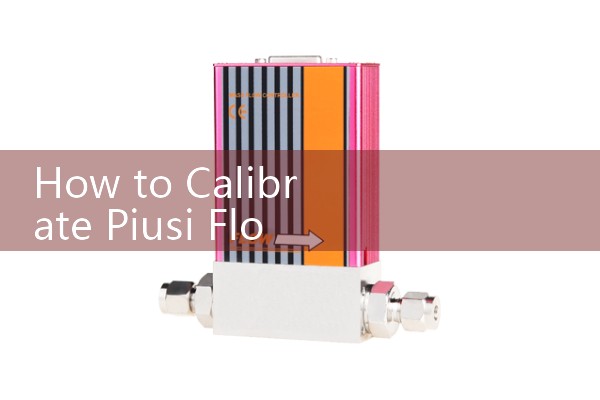
『How to Calibrate Piusi Flow Meter: Enter the precise calibration mode on the electronic display, run a test batch into a container, and adjust the K-factor.』Related information(v cone flow meter|rotary gas meter|gallon meter|gear meter|metal tube rotameter|glass tube rotameter|nutating disk meter|transit time ultrasonic flow meter|wedge flow meter|pd meters|hydraulic flow meter|ultrasonic water flow meter|water flow meter|air flow meter|magnetic water flow meter|oxygen flow meter|gas flow meter|argon flow meter|air velocity meter|gasoline flow meter|fuel flow meter|ultrasonic water meter|digital water meter|nitrogen flow meter|solid flow meter|Oxygen tank flow meter|digital water flow meter|diesel fuel flow meter|steam flow meter|02 flow meter|compressed air flow meter|oil flow meter|liquid flow meter)

How to Calibrate a Piusi Flow Meter on the Electronic Display
Quick Answer: To calibrate a Piusi flow meter, enter the calibration mode on the electronic display, pump a test batch into a known container, and read the displayed volume. Then change the K-factor until the display matches the actual volume. This method suits diesel, light oil, and thin chemical batches.
Why the K-factor Drifts on a Piusi Meter
The K-factor is the number of pulses the meter sends per litre or per gallon. A mechanical oval gear or turbine meter wears over time. Viscosity changes also shift the pulse count. Most engineers skip a K-factor check after installing a new pump. In practice, a fuel terminal in the Middle East may see a 2 percent error after six months of daily diesel transfer. That error adds up fast in a batch record.
Step 1: Enter the Calibration Mode on the Electronic Display
Power on the Piusi electronic display. Stop the pump first. On many Piusi units, press and hold the CAL button for 3 to 5 seconds. The screen shows CAL or KF. If the display asks for a code, check the manual for the factory code. Some batch controllers use a two button sequence. Make sure the line is not pressurized before you enter calibration. A leaking valve can add pulses from static pressure or thermal expansion.
Step 2: Run a Test Batch into a Container
Use a calibrated container. A 20 litre steel can works for diesel. A 50 litre drum works for thin oil. Place the nozzle below the liquid level if foam is a problem. Reset the batch total to zero. Pump until the container reaches the mark. Stop the pump immediately. Do not top up or drain back. Read the display value in litres or gallons. A diesel pump in Vietnam showed 20.8 litres on the display while the can held exactly 20 litres. That is a classic K-factor error.
Step 3: Adjust the K-factor Based on Actual Volume
Record the old K-factor from the display. Use this formula. New K-factor equals old K-factor multiplied by displayed volume divided by actual volume. For the example above, old K-factor was 1.000. The display read 20.8 litres. The actual volume was 20.0 litres. New K-factor equals 1.000 multiplied by 20.8 divided by 20.0. The result is 1.040. Enter 1.040 and save the setting.
Verify the Calibration
Repeat the test batch at your normal flow rate. For a diesel transfer pump, run the batch at 40 to 80 litres per minute. If the error is under 0.5 percent, the calibration is complete. If the error is still high, adjust the K-factor again. Two or three passes are normal afte
Common Calibration Mistakes
Air in the line before the test creates a false volume. Run fluid through the meter for 30 seconds before you start the batch. Do not change the pump speed during the test. A flow meter has a different K-factor at very low flow. Viscous fluids above 100 cP can also shift the curve. Calibrate with the same fluid and the same temperature range you use in production.
When to Stop Calibrating and Replace the Meter
If the K-factor drifts beyond 10 percent from the factory value, internal wear is usually the cause. A broken oval gear or a cracked bearing will not hold calibration. Silver Automation Instruments supplies oval gear flow meters for diesel, oil, and chemical batching. These meters work with electronic displays and accept K-factor adjustments. Send us your fluid type, flow range, pipe size DN, and pressure in bar. Contact Tel +86-25-68650347, Whatsapp +86-25-52155837, WeChat +86 15365082610.
Frequently Asked Questions
What is the K-factor on a Piusi flow meter?
The K-factor is the number of pulses the flow meter sends per unit of volume. For example, a diesel oval gear meter may send 46 pulses per litre. The electronic display divides the pulse count by the K-factor to show the total volume.
How often should I calibrate a Piusi flow meter?
Calibrate every six months for diesel and thin oil transfer. Check sooner if you change from diesel to biodiesel or from one viscosity grade to another. A paint manufacturer in Southeast Asia saw a solvent batch error of 1.8 percent because the meter was calibrated for water.
Can I calibrate a Piusi meter without a calibration container?
It is not recommended. A known volume is required. You can also use a weigh scale and convert weight to volume with fluid density. The batch must be accurate within 0.5 percent for a stable K-factor.
Why does my Piusi display show more volume than the container?
The K-factor is too low for the current fluid. Increase the K-factor using the formula shown above. For example, if the display reads 21 litres and the container holds 20 litres, multiply the old K-factor by 21 and divide by 20.
Does Silver Automation Instruments supply replacements for Piusi meters?
Yes. We supply oval gear flow meters, batch controllers, and electronic displays for diesel, oil, water, and chemical transfer. Tell us your pipe size DN, flow range, and fluid type. Send your request on Whatsapp +86-25-52155837 or call Tel +86-25-68650347.
 Hot News
 Related AD